Description
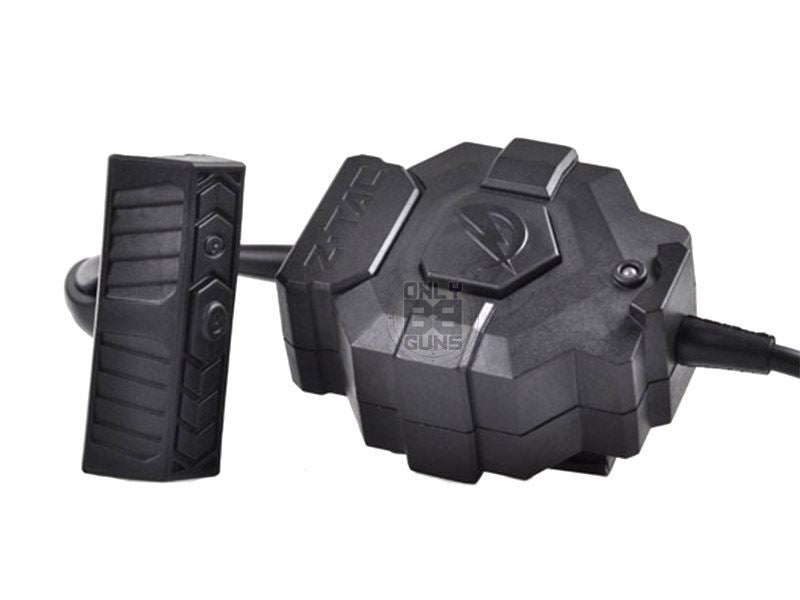
zTac PTT with Wireless RIS Mounted PTT Button (Moto Connector)
This zTac PTT unit connects a tactical headset to a radio with a Motorola-type connector, and comes with a wireless push-to-talk button that mounts on a rail (RIS). With the button on your rifle’s handguard, you can key your radio without taking your hand off the gun, which makes radio calls far quicker and easier mid-game.
Z-Tactical (zTac) produces a large range of replica headsets, PTTs and radio accessories for airsoft and milsim. A wireless rail-mounted button suits players who use radios a lot, such as team leaders, support gunners and anyone at organised milsim events, and who want a clean set-up with no cable running down the arm to the rifle.
How it works
The PTT unit plugs into your radio and your headset plugs into the PTT. You then key the radio with the wireless button mounted on the rifle. Check the product images for the headset socket on the PTT unit, any additional button on the unit itself, and the battery type used in the wireless button, before ordering.
Mount the wireless button where your support-hand thumb or fingers fall naturally on the handguard, so you can press it while holding the rifle in a firing position.
On the field
Check the button’s pairing and range before each game, and keep a spare battery for the wireless button in your kit. If it stops responding, check its battery and pairing first.
Key features
- Push-to-talk unit for Motorola-type connector radios
- Wireless PTT button that mounts on a RIS rail
- Key the radio without taking your hand off the rifle
- No cable running to the rifle
- Button sits where your support hand already is
- From Z-Tactical (zTac)
Compatibility
This version is for radios with a Motorola-type connector. Motorola connectors come in 1-pin and 2-pin forms, so compare the plug in the product images with your radio before ordering; zTac also offers this PTT in other connector versions. The PTT needs a compatible headset, and the wireless button needs free space on a standard rail.
Care and maintenance
Disconnect and store the PTT and button somewhere dry after use, and remove the battery from the wireless button if it will not be used for a while to avoid leakage.
Keep connectors free of dirt and moisture, avoid pulling on cables to unplug them, and check the leads for cuts or kinks from time to time.
Who is it for?
This PTT is for airsoft and milsim players with Motorola-type radios who want to key their radio from a rail-mounted button without trailing cables.
Please note: Radio and headset are not included.